- Login as Admin here
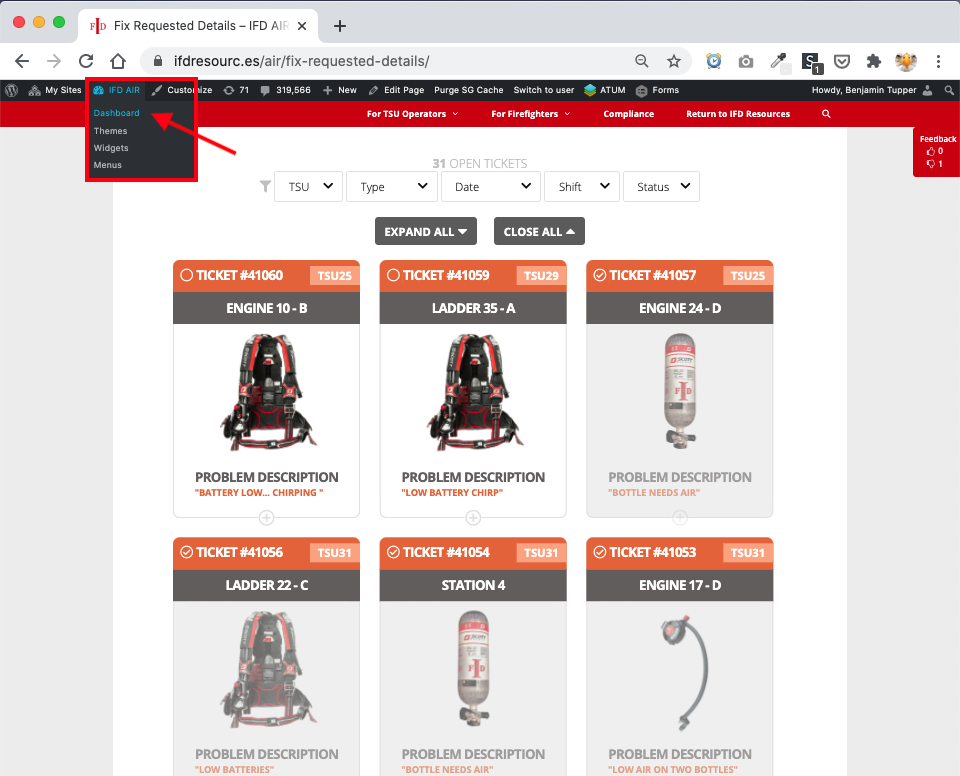
- After logged in as Admin, go to the Dashboard… NOTE: you will know you are logged in as Admin when you see the black bar atop the page
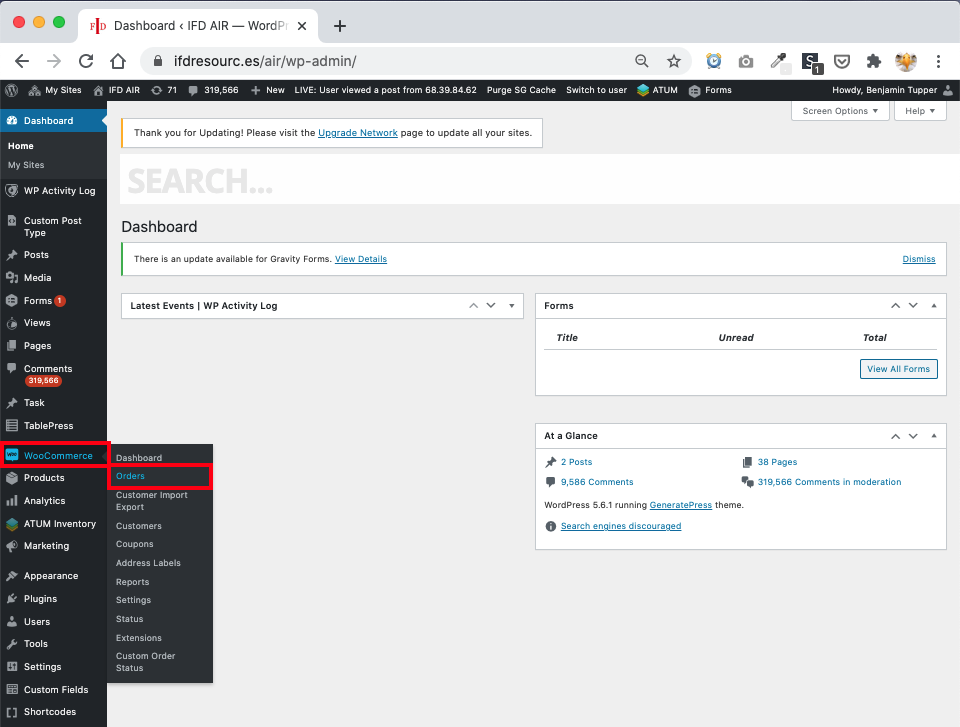
3. From admin dashboard go to WooCommerce > Orders
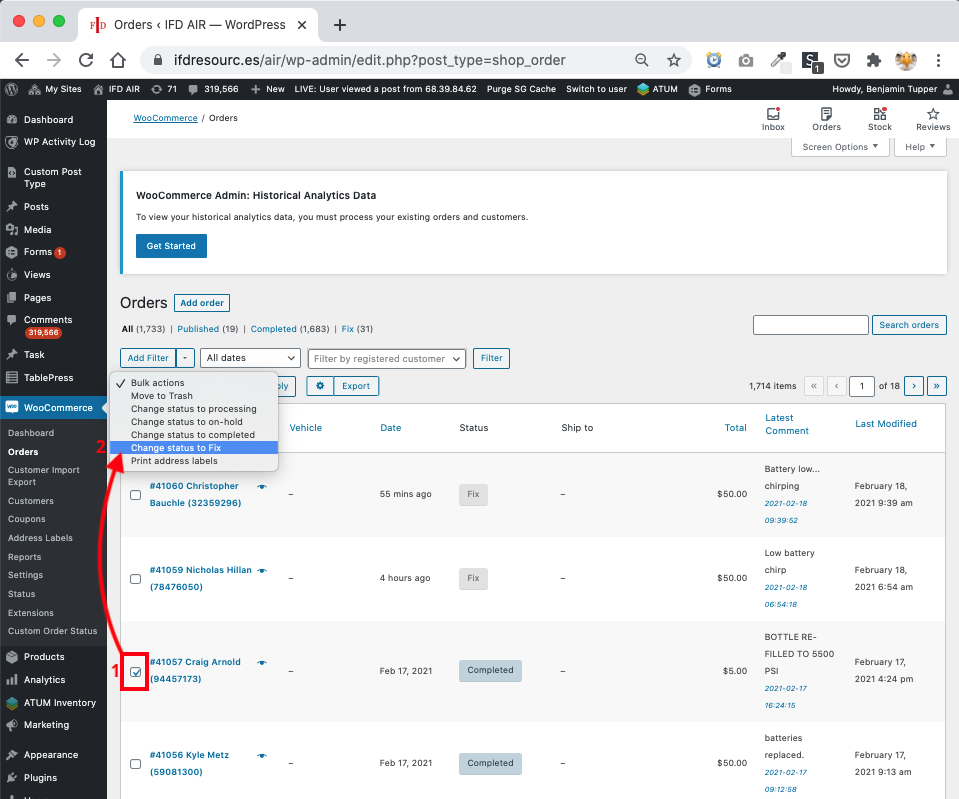
4. Check the ticket you want to re-open, then select Bulk Actions > Change status to Fix… NOTE: If you don’t see the ticket use the small search bar (to the right), type in the ticket number, then click Search orders button
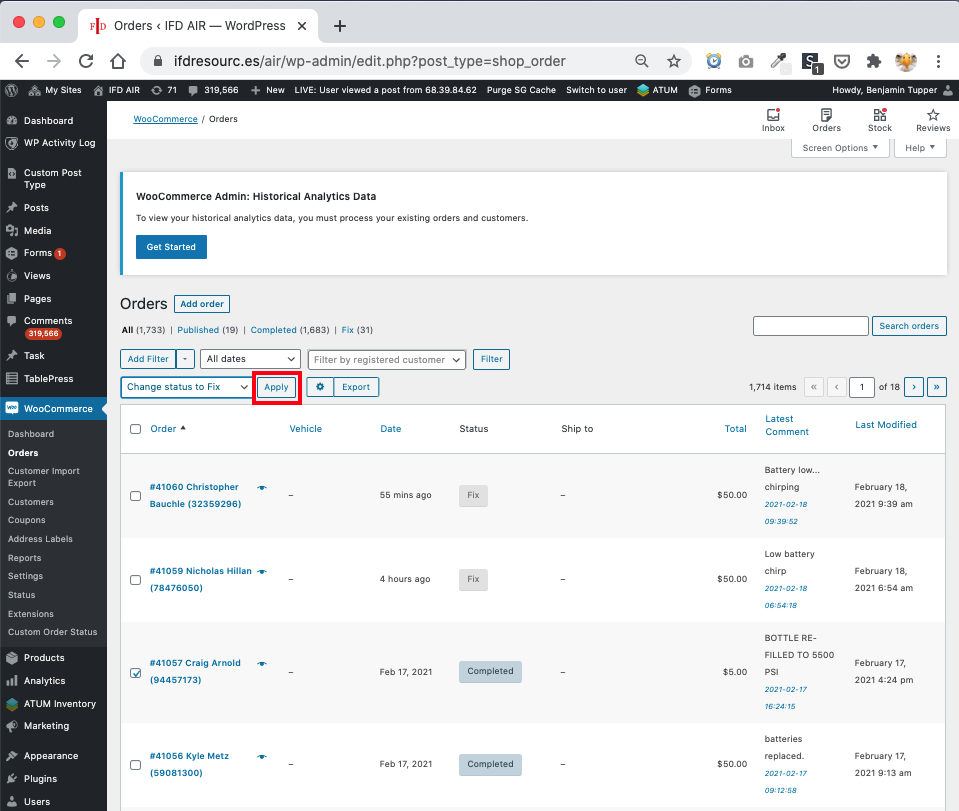
5. Then click Apply, and finally return to the fix tickets page and you should now see the ticket re-opened on the tickets page
Last edited: February 18, 2021
